How a computer works
How do switches become programs, pictures and operating systems?
10 videos, about 4 h 21 min. Watch in order, or jump to a timestamp.
- 1
Introductory, Built from scratch, 18 min
Exploring How Computers Work
- Represent quantities with binary states.
- Combine simple logic gates into operations.
- Separate a simulated circuit from the behaviour it implements.
Jump to 3:03 logical building blocks in the simulation, 5:12 place value and binary counting
- 2
Introductory, How it works inside, 27 min
How do Transistors Build into a CPU? How do Transistors Work?
- Treat a transistor as a controllable electrical component.
- Build logic from standard cells of connected transistors.
- Understand a processor as a hierarchy of increasingly large circuit blocks.
Jump to 1:09 transistors as building blocks, 1:22 standard cells
- 3
Introductory, How it works inside, 36 min
How does Computer Memory Work?
- Distinguish working memory from long-term storage.
- Encode stored bits in physical memory cells.
- Follow data as it moves between storage, memory and processor caches.
Jump to 0:27 why programs load into dram, 1:45 one bit per memory cell
- 4
Intermediate, Built from scratch, 14 min
8-bit computer RAM intro
- Organize stored bits into addressable locations.
- Separate address, data and control signals.
- Understand how read and write operations change circuit state.
Jump to 0:20 enable and clock signals for stored bits, 1:30 eight-bit inputs and outputs
- 5
Introductory, How it works inside, 29 min
How do Graphics Cards Work? Exploring GPU Architecture
- Appreciate the scale of parallel calculation in a GPU.
- Compare GPU and CPU design priorities.
- Understand why graphics memory matters to computation.
Jump to 1:12 the scale of gpu calculation, 2:11 graphics memory and comparing gpus with cpus
- 6
Introductory, Lecture, 27 min
AT&T Archives: The UNIX Operating System
- Separate operating-system responsibilities from applications.
- Distinguish the kernel from the shell.
- Connect files and small tools to a programming environment.
Jump to 1:10 a good programming environment, 5:00 kernel and shell
- 7
Intermediate, Built from scratch, 24 min
Compilers, How They Work, And Writing Them From Scratch
- Separate source-language structure from execution.
- Identify the parser and intermediate representation inside a compiler.
- Connect compiler output to a virtual machine.
Jump to 0:21 virtual machines and the example compiler, 1:00 parser and intermediate representation
- 8
Intermediate, Derivation, 20 min
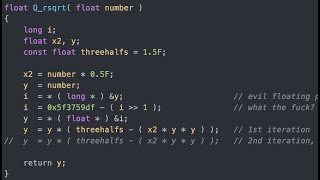
Fast Inverse Square Root — A Quake III Algorithm
- Recognize why inverse square roots matter in graphics.
- Use an approximate starting answer.
- Refine the approximation with Newton’s method.
Jump to 2:56 why approximate the inverse square root, 17:30 refining with newton’s method
- 9
Intermediate, Built from scratch, 50 min
Coding Adventure: Software Rasterizer
- Turn triangles into pixels.
- Add perspective to projected geometry.
- Resolve visibility using depth information.
Jump to 2:09 drawing the first triangles, 15:28 adding perspective
- 10
Intermediate, Built from scratch, 17 min
How do computers do it?
- Model a camera image by firing rays into a scene.
- Compute where rays intersect simple shapes.
- Build up shading from light, reflection and bounce limits.
Jump to 0:54 defining a ray, 1:15 bouncing rays with the law of reflection